 Rapidemo
Shareable link
Last updated:
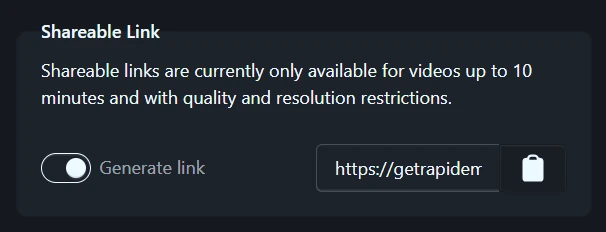
Switch on Generate link when you export to share the video via a link, even before the render finishes. Available with any active license.
Share a video via link
Switch on Generate link in the Shareable link group of the export settings before you render. Rapidemo uploads the video as part of the render and gives you a link right away. The link shows a short “waiting for render” placeholder until the export finishes, then plays the video. Send it to anyone. They can watch in their browser without installing anything. If the upload fails, retry it from the render queue.
Only people with the link can view the video. There’s no public listing, so the link is the only way to reach it. Share it only with people who should see the video.
Shareable links are available with any active license for MP4 exports of projects up to 10 minutes long. GIF exports, 4K resolutions and the Very high quality level aren’t available for a link export.
Embed the video
You can show the video inside another page, not just link to it.
Paste the share link into a tool with live previews, like Notion, and it becomes a playing embed automatically. In chat apps like Discord, the link plays inline.
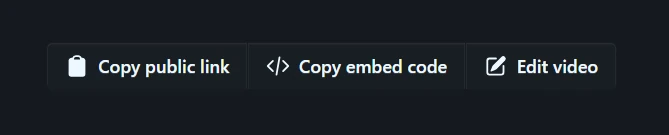
For your own website or blog, open the video’s page and click Copy embed code to get a ready-to-paste player snippet. Drop it into your site’s HTML wherever you want the video to appear.
When to share a link instead of a file
A link is easier to send than a large MP4 file: it fits in a chat message, an email or a ticket, and it always plays the latest uploaded version. For publishing to YouTube, social media or a course platform, use the exported MP4 file itself.