Best Loom alternatives for polished video in 2026

Loom is great for quick async messages you record and send in seconds. But when you need video you will publish, tutorials, product demos, course lessons, and launch videos, you want more polish and control. Here are the five best Loom alternatives, each ranked for the job it does well.
01

Rapidemo

Our pick
Best for Polished, publishable screen video on Windows
Platforms Windows 10 and 11
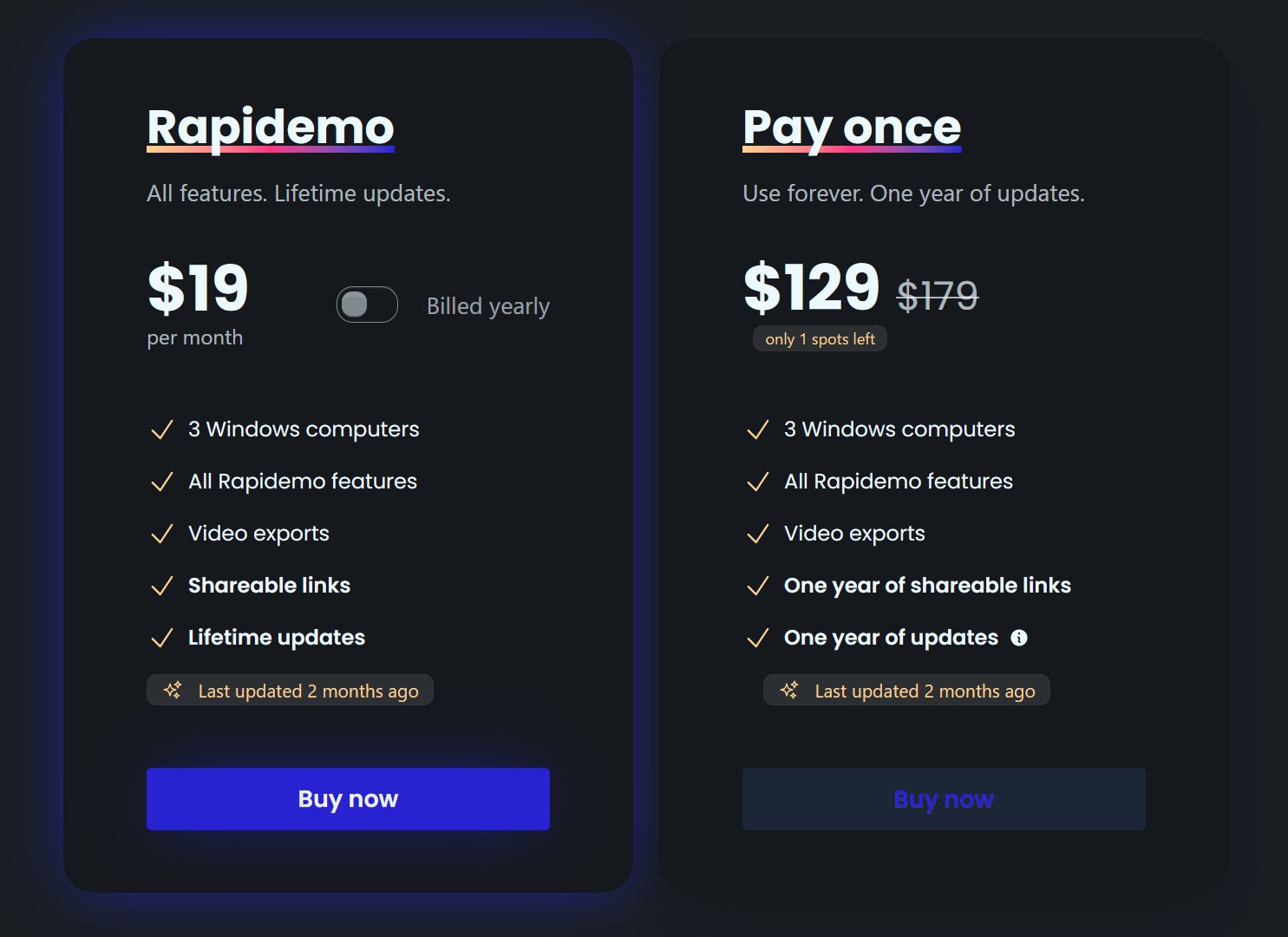
Pricing $108/year, $19/month, or $139 lifetime

Rapidemo is the best Loom alternative when the video is something you will publish, not a throwaway message. It records once and adds the polish automatically: it zooms in on clicks (auto-zoom), smooths the cursor, generates subtitles, and applies cinematic layouts. It then gives you shareable links to send, just like Loom. Where Loom optimizes for speed and internal sharing, Rapidemo optimizes for a professional-looking result, built natively for Windows 10 and 11 with local, privacy-focused processing.

Pros

  • Automatic zoom animations and cursor smoothing, no manual editing
  • One-click subtitles and cinematic layouts per clip
  • Shareable links, plus local processing (no forced cloud upload)
  • Try every feature free; a license unlocks export
  • Transparent pricing, no contact-sales wall

Cons

  • Built for Windows 10 and 11 today (macOS and Linux under consideration)
  • Not designed for high-volume, one-and-done async messaging like Loom

02

Screen Studio

Best for Cinematic, automatic polish on macOS
Platforms macOS only
Pricing $9/month billed annually, or $29/month

Screen Studio is the polish leader on macOS, and the tool Rapidemo is most often compared to. Like Rapidemo, it automatically zooms in on clicks and smooths the cursor, so recordings look professionally edited straight out of a single take. If you are on a Mac and want the most cinematic result with the least effort, it is the pick. The catch is simply that it is macOS-only.

Pros

  • Automatic zoom and cursor smoothing as always-on features
  • Beautiful, cinematic output with minimal editing skill
  • Same features on every paid tier

Cons

  • macOS only (no Windows or Linux)
  • Purpose-built for demos, not a broad multitrack editor
03

Vidyard

Best for Sales and marketing video with hosting and viewer analytics
Platforms Windows, macOS, web, browser extension
Pricing Free tier; $59/seat/month billed annually ($89 monthly); Teams and Enterprise contact-sales

Vidyard is the closest Loom alternative for revenue teams. Like Loom it centers on recording and instantly sharing, but it adds per-viewer engagement analytics, branded video pages, in-video calls to action, and CRM integrations with Salesforce and HubSpot. If your goal is trackable prospecting and sales video rather than polished production, Vidyard fits, though its pricing steps up quickly to contact-sales tiers.

Pros

  • Per-viewer analytics and branded sharing pages
  • Salesforce and HubSpot integrations for revenue teams
  • Works across Windows, macOS, web, and the browser

Cons

  • Editing and automatic polish are basic (value is hosting and analytics)
  • Pricing jumps to contact-sales for team features
  • Limited free tier aimed at lead generation
04

ScreenPal

Best for Record-and-host across Windows, Mac, and Chromebook
Platforms Windows, macOS, Chromebook, iOS, Android, web
Pricing Free tier; paid from $4/month (billed annually)

ScreenPal (formerly Screencast-O-Matic) matches Loom's record-and-share simplicity, and adds light editing plus hosting with quizzes. It runs almost everywhere, including Chromebooks and the browser. It is a practical all-rounder, but its zoom is manually keyframed and its editor is lighter than a dedicated production tool.

Pros

  • Free tier available
  • Runs on Chromebook, mobile, and the browser
  • Built-in hosting with quizzes and interactivity

Cons

  • Manual keyframed zoom and no cursor smoothing
  • Lighter editor for complex projects
  • Team features behind higher plans
05

Descript

Best for Editing and repurposing recordings into finished content
Platforms Windows, macOS, web
Pricing Free tier; paid from $16/user/month (billed annually)

Descript is the Loom alternative to reach for when the recording is raw material you will heavily edit. You edit the video by changing its transcript, and its AI tools clean up filler words, audio, and eye contact for podcast- and YouTube-style output. It is a strong editor, not a quick screen-share tool, and its zoom and pan are manual with no automatic cursor smoothing.

Pros

  • Unique transcript-based editing and deep AI tools
  • Full multitrack editor on Windows, Mac, and web
  • Great for repurposing one recording into many clips

Cons

  • Usage-based minutes and AI credits add complexity
  • No automatic zoom or cursor smoothing
  • Overkill for a quick record-and-send message
Rapidemo is the best! Easy to work with, no learning curve and super professional output! Can't recommend enough!
Headshot of Rapidemo user Petko
Petko @pbozhinow
records product videos
Thanks to Rapidemo I didn't have to spend a fortune on hiring an editor for my digital courses!
Headshot of Rapidemo user Sebastian
Sebastian @BlameReality
records digital courses

Loom alternatives: FAQ

Common questions about choosing a Loom alternative for polished video.

What is the best Loom alternative for polished videos?

For publishable, polished screen video, Rapidemo is the strongest pick on Windows and Screen Studio on macOS. Both add the zoom and cursor polish automatically, so a single take is ready to publish. Loom, by contrast, is built for fast, disposable team updates.

What is a good Loom alternative for Windows?

Rapidemo. It is a native Windows 10 and 11 app that automatically adds zoom animations, cursor smoothing, subtitles, and cinematic layouts, and still gives you shareable links like Loom.

Can I share a video link like Loom with Rapidemo?

Yes. Rapidemo gives you cloud-hosted shareable links to send, like Loom, but the video is polished first with automatic zoom, cursor smoothing, and subtitles.

Which Loom alternative has automatic zoom and cursor smoothing?

Rapidemo on Windows and Screen Studio on macOS both do this automatically. Loom's auto-zoom is not yet available, and most other tools handle zoom manually.

Can I try Rapidemo for free?

Yes. Download Rapidemo and use every feature for free. You only need a license to export your finished video.

How much does Rapidemo cost?

Rapidemo starts at $9/month billed annually, with a monthly plan and a one-time lifetime license also available. See the pricing page for full details.

Can I get a refund?

Yes. Lifetime license purchases are refundable within 7 days. Subscriptions and lifetime renewals are non-refundable.

What Rapidemo users are saying

840+ creators record beautiful screen recordings with Rapidemo.