


Screen Studio vs Rapidemo
Create beautiful, high quality screen videos without a Mac! Rapidemo is a screen recorder that zooms in on clicks, smooths the cursor and creates beautiful, professional-looking videos automatically. Built natively for Windows 10 and 11 . Here is how it compares to Screen Studio.Free to record and edit. License unlocks export.
Rapidemo feature highlights
Rapidemo is a screen recording app that creates engaging and professional-looking videos by adding animations automatically, no editing skills required. It automatically zooms in on clicks and makes the cursor motion smooth and pleasant.
Auto Zoom
Automatically add zoom animations based on mouse events to your recording.
Follow the cursor smoothly
Rapidemo replaces shaky mouse movement with a pleasant, smooth motion.
Portrait, landscape & square video
Easily preview different aspect ratios, like square and vertical. All your settings will adjust automatically, making exports in multiple formats effortless.
Easy video editing
Tweak zoom animations, trim and cut the video and customize its look and feel with ease in the timeline editor - quickly and without professional editing skills.
Quick and easy recording and editing
Select what you'd like to record, add webcam and mic and hit record. To stay on track while recording, you can add speaker notes that won't be captured. After recording, customize your recording in a powerful, easy-to-use timeline editor. Create subtitles in one click, change the background and tweak all effects and animations easily.
Add camera and microphone
Record your selfie and customize how it appears in the video. The camera video is scaled down smoothly during zoom animations to reveal more of the screen recording.
One video, multiple layouts
Cut your video and select a layout like side-by-side, camera overlay and fullscreen for each clip. Layout transitions are animated smoothly.
High quality cursors
Rapidemo replaces pixelated system cursors with crisp vector graphics that are resizable, themeable and look great at high resolutions.
Generate a transcript
Transcribe your video in one click and create subtly animated subtitles. The subtitle content, timing, size, color theme and position can be customized in the timeline editor.
Free to record and edit. License unlocks export.
Rapidemo and Screen Studio comparison
Compare both apps and see which screen recording tool is right for you.
Rapidemo
|
Screen Studio | |
|---|---|---|
| Recording | ||
|
Record on Windows 10 and 11
|
||
|
Record camera and microphone
|
||
|
Speaker notes
|
||
| Editing | ||
|
Automatic zoom animations
|
||
|
Cursor smoothing
|
||
|
Landscape, portrait and square video
|
||
|
Subtitle generation
|
||
|
Seamlessly loop cursor
|
||
|
Shareable editor presets
|
||
|
Manual zoom
|
||
|
Animated side-by-side layout
|
||
| Exporting | ||
|
Bulk exports
|
||
|
Fast 4K video exports
|
||
|
Vertical video
|
||
|
Smooth 60 frames per second
|
Rapidemo covers all 15 categories in this comparison, including 3 Screen Studio doesn't.
When Screen Studio is the better fit
Screen Studio is a great product, and for some workflows it's still the right call. Pick Screen Studio if:
- You work on macOS and want the native Mac experience, including Apple Silicon optimizations and tight OS integration.
- You record iPhone or iPad screens via a direct device pipeline. Screen Studio pulls the device feed in directly; Rapidemo focuses on the Windows desktop.
- You're already embedded in a Mac-first creator workflow and switching platforms isn't on the table.
If you're on Windows and considering switching to Mac just for Screen Studio, Rapidemo delivers the same automatic polish (zooms on clicks, cursor smoothing, cinematic layouts, on-device subtitles) on Windows 10 and 11.
Keep exploring
Camtasia vs Rapidemo
Compare Rapidemo to Camtasia on auto-zoom, editing, pricing, and more.
Loom vs Rapidemo
Compare Rapidemo to Loom on video quality, editing features, and privacy.
Best Screen Studio alternatives
See five Screen Studio alternatives ranked by use case, with honest pros and cons.
Best screen recorders for Windows
A ranked list of Windows screen recorders, each best at a different job.
Frequently Asked Questions
Still got questions? Get in touch.
What is Rapidemo?
What makes Rapidemo different from other screen recording tools?
Can I try Rapidemo?
Yes. You can try all features, just download Rapidemo. To export your recorded video you'll need a license.
What Windows versions does Rapidemo work on?
Rapidemo was tested on Windows 10 and 11. It might work on earlier versions too. If you run into problems we're happy to refund you within our refund policy. ARM64 is currently not officially supported.
Can I record anything on my desktop or just my browser?
Rapidemo is a standalone app. This means that you can record anything on your desktop. This could be the entire screen or a specific window. Optionally, you can record your webcam and microphone too.
Does my lifetime license expire after a year?
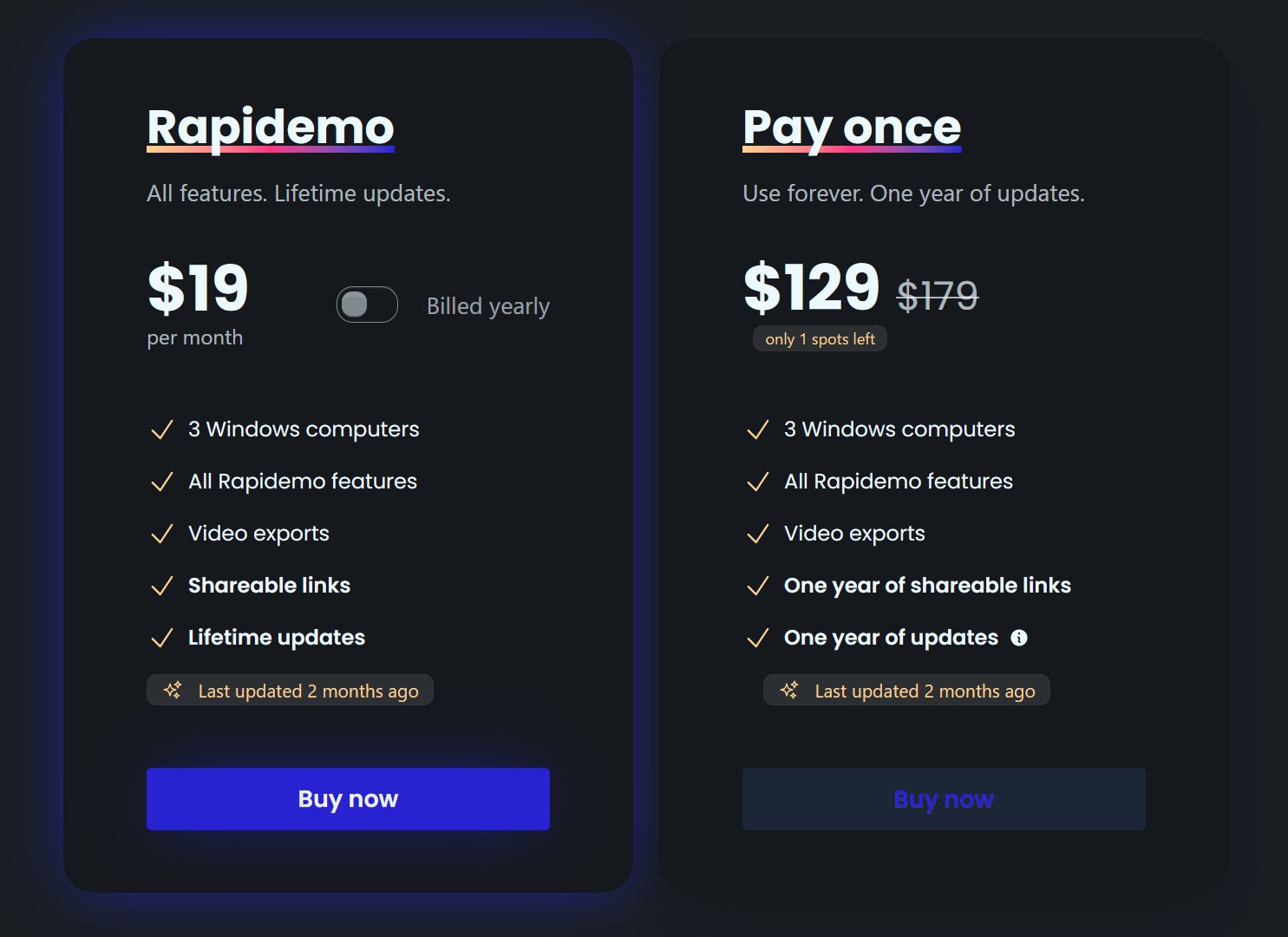
No. After purchasing a license, you can use Rapidemo forever. You'll receive updates until one year from the purchasing date. After that you can still use Rapidemo as-is, you'll just miss out on any new features.
What file format are videos exported to?
Rapidemo exports MP4 videos and automatically chooses the best bitrate settings for the chosen aspect ratio, resolution and frame rate.
Is there a student discount?
Who is Rapidemo designed for?
Can I get a refund if I'm not satisfied?
Are there versions for MacOS and Linux?
Rapidemo is currently built for Windows 10 and 11. macOS and Linux support is under evaluation, with no committed timeline yet.
Is my recording sent to the cloud?
No. Recording, editing, subtitle generation and video processing happens locally on your computer. Rapidemo only sends license-related data and basic error reports to the server. Error reporting helps us create a better user experience and improve Rapidemo. You can opt out of error reporting at any time in the app.
Can I renew my lifetime license to receive updates after expiration?
Yes. Renewals are available for $69. Renew to receive the latest updates for another year or continue using your existing version forever.
Do I need a new license if I switch PCs?
No. If you don't want to use Rapidemo on both PCs you don't need another license. You can just deactivate the license after logging in, and then activate it again on the other PC.
Do I need admin rights to install Rapidemo?
No. You should be able to install Rapidemo without admin rights. If you're in doubt, download Rapidemo for free and see if it works with your setup.
What Rapidemo users are saying
680+ creators record beautiful screen recordings with Rapidemo.
Rapidemo