Best screen recorder for tutorials and courses in 2026

Tutorials and online course videos need to be clear, easy to follow, and consistent across many lessons, ideally without hours of editing per video. Here are the five best screen recorders for tutorials and courses, each ranked for the job it does well.
01

Rapidemo

Our pick
Best for Polished, easy-to-follow lessons on Windows, without editing
Platforms Windows 10 and 11
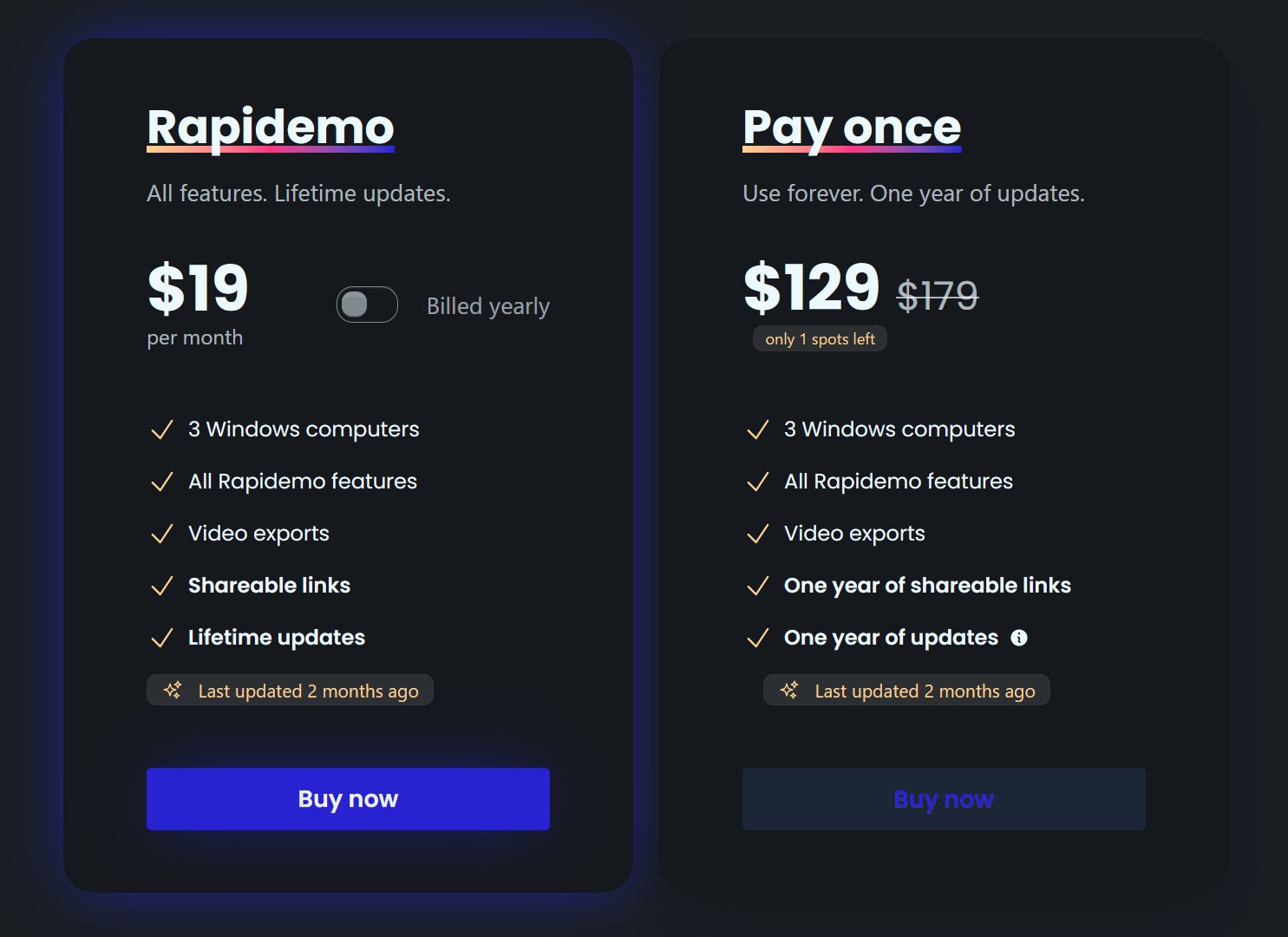
Pricing $108/year, $19/month, or $139 lifetime

Rapidemo makes lessons that are easy to follow without spending your time editing. It automatically zooms in on the step you are demonstrating (auto-zoom), smooths the cursor so learners can track it, and generates subtitles in one click for accessibility. It also applies a consistent, cinematic layout across lessons. Shareable editor presets keep every lesson in a course looking the same. It is built for Windows 10 and 11, so you get a polished result on a single take.

Pros

  • Automatic zoom and cursor smoothing keep lessons easy to follow
  • One-click subtitles for accessibility
  • Shareable presets for a consistent look across a course
  • Try every feature free; a license unlocks export
  • Transparent pricing, no contact-sales wall

Cons

  • Built for Windows 10 and 11 today (macOS and Linux under consideration)
  • No built-in quizzes or SCORM/LMS export for formal courseware

Best for Produced course videos that need a full editor
Platforms Windows and macOS
Pricing Subscription from $179/year (Pro $599/year)

Camtasia is a long-time favorite for course creators who want a full multitrack editor: intros, lower-thirds, quizzes, and an asset library, all in one place. It offers semi-automatic zoom and cursor smoothing. The trade-off is that it is a heavier tool built around manual editing, so producing each lesson takes more time than an automatic recorder.

Pros

  • Full multitrack editor with quizzes and an asset library
  • Semi-automatic zoom and cursor smoothing
  • Mature and widely used in education

Cons

  • Key features gated behind the top tier
  • Manual editing takes more time per lesson
  • Windows and macOS only
03

ActivePresenter

Best for Formal eLearning with quizzes and SCORM/xAPI export
Platforms Windows and macOS
Pricing One-time from $249 (Pro $499)

ActivePresenter is the pick when your course needs to be trackable courseware, not just video. It combines screen recording and editing with deep eLearning authoring: interactive simulations, branching, quizzes, and SCORM/xAPI/HTML5 export for a learning management system. The trade-off is a dense, slide-based interface with a real learning curve, and manual zoom and cursor effects.

Pros

  • Genuine multitrack editor, deeper than a lightweight recorder
  • Interactive quizzes, branching, and SCORM/xAPI for an LMS
  • Generous free version for non-commercial use

Cons

  • Steep, slide-based learning curve
  • Zoom and cursor effects are manual, not automatic
  • Windows and macOS only (no Linux)
04

ScreenPal

Best for Course recording for educators, including Chromebook
Platforms Windows, macOS, Chromebook, iOS, Android, web
Pricing Free tier; paid from $4/month (billed annually)

ScreenPal (formerly Screencast-O-Matic) is a favorite of educators for good reason: it is easy to learn, runs on Chromebooks and the browser, and includes hosting with quizzes and interactivity. It is a practical record-edit-host tool for course content. The editor is lighter than a dedicated production suite, and its zoom is manually keyframed.

Pros

  • Free tier available
  • Runs on Chromebook, mobile, and the browser
  • Built-in hosting with quizzes and interactivity

Cons

  • Manual keyframed zoom and no cursor smoothing
  • Lighter editor for complex course production
  • Team features behind higher plans
05

OBS Studio

Best for Free recording of long lessons and lectures
Platforms Windows, macOS, Linux
Pricing Free and open source

OBS Studio is the free option for recording lectures and long lessons, especially if you also stream live classes. It runs everywhere, including Linux, and captures reliably. But it is a recorder, not an editor: no timeline, no automatic zoom or cursor smoothing, and no built-in course hosting, so you will pair it with separate editing and hosting tools.

Pros

  • Completely free and open source
  • Cross-platform, including Linux
  • Great for long recordings and live class streaming

Cons

  • No built-in editor, timeline, or hosting
  • No automatic zoom or cursor smoothing
  • Steep setup for polished lessons
Rapidemo is the best! Easy to work with, no learning curve and super professional output! Can't recommend enough!
Headshot of Rapidemo user Petko
Petko @pbozhinow
records product videos
Thanks to Rapidemo I didn't have to spend a fortune on hiring an editor for my digital courses!
Headshot of Rapidemo user Sebastian
Sebastian @BlameReality
records digital courses

Screen recorder for tutorials and courses: FAQ

Common questions about recording tutorial and online course videos.

What is the best screen recorder for online courses?

For clear lessons with the least editing, Rapidemo is the strongest pick on Windows. Camtasia is the best full editor for produced courses, and ActivePresenter is best when you need SCORM or xAPI courseware for a learning management system.

What is the best screen recorder for tutorials on Windows?

Rapidemo. It is a native Windows 10 and 11 app that adds the zoom, cursor smoothing, and subtitles for you, so tutorials come out clear and consistent without manual editing.

Can I add subtitles to course videos automatically?

Yes. Rapidemo generates subtitles from your microphone audio in one click, then lets you edit the text and styling, which helps accessibility and retention across a course.

Can I record my webcam alongside the lesson?

Yes. Rapidemo records your webcam and shows it as a camera overlay that scales down smoothly during zooms, so learners see you and the screen without the camera blocking the content.

Can I try Rapidemo for free?

Yes. Download Rapidemo and use every feature for free. You only need a license to export your finished video.

How much does Rapidemo cost?

Rapidemo starts at $9/month billed annually, with a monthly plan and a one-time lifetime license also available. See the pricing page for full details.

Can I get a refund?

Yes. Lifetime license purchases are refundable within 7 days. Subscriptions and lifetime renewals are non-refundable.

What Rapidemo users are saying

840+ creators record beautiful screen recordings with Rapidemo.