Best Descript alternatives for screen recording in 2026

Descript’s transcript editor is a good idea: delete a word, and the video cut is made. People look for an alternative when the rest of the product gets in the way. Recordings upload to Descript’s cloud as you record and are not kept on your computer. Windows cannot record in 4K. And screen videos get no zoom, cursor smoothing or camera styling. These seven tools fix one or more of those.

Tool Best for Platforms Auto zoom Stays on device Pricing
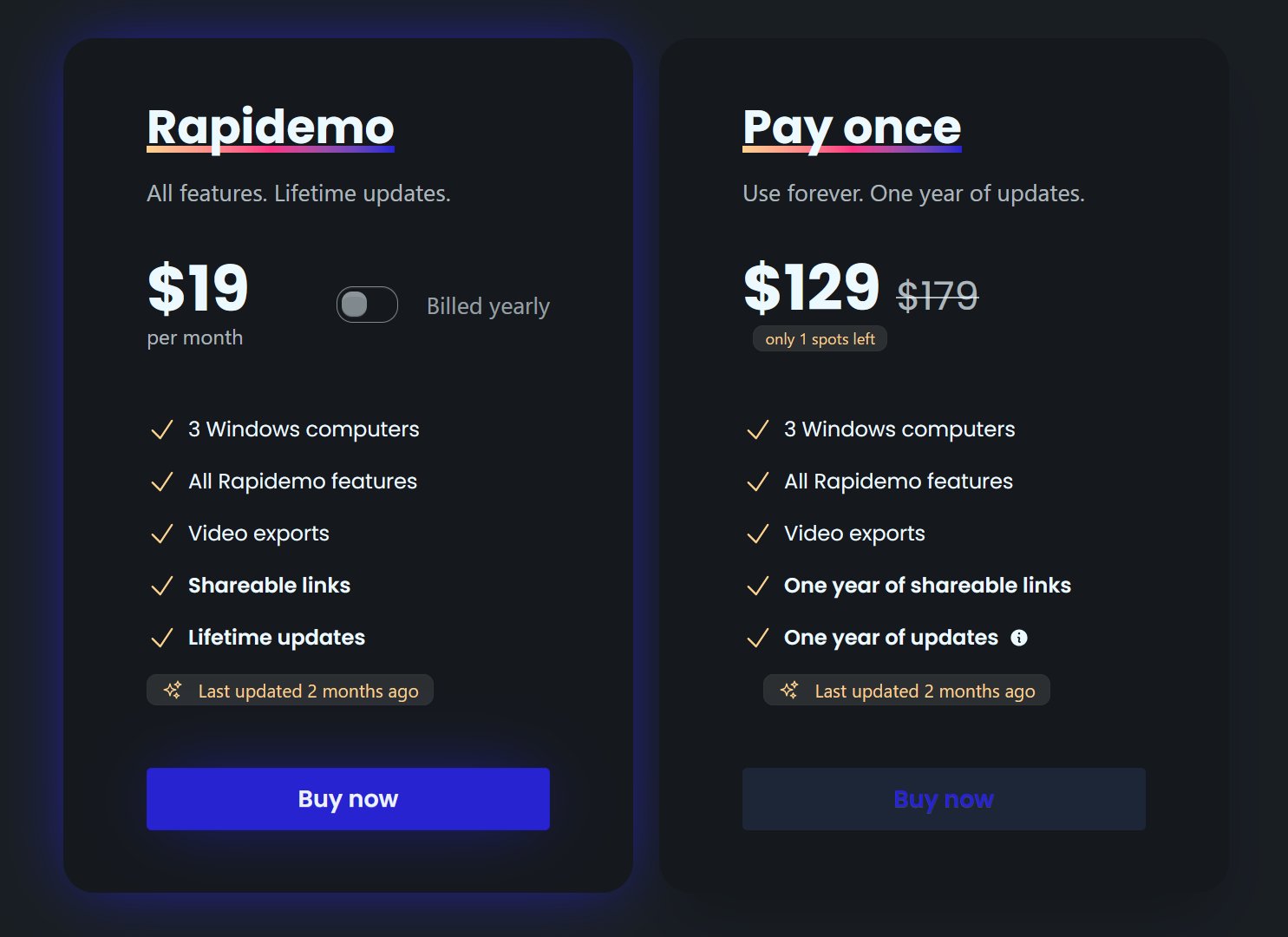
Rapidemo Polished, publishable screen video on Windows Windows $108/year, $19/month, or $199 lifetime
Camtasia Course and training videos with a full timeline editor Windows, macOS From $39/year (watermarked); watermark-free from $179.88/year
ScreenPal Classroom recording with hosting and quizzes Windows, macOS, Chromebook, iOS, Android Free tier; paid from $4/month (billed annually)
Clipchamp General video editing for Microsoft 365 users with a basic recorder Windows, Web, Chromebook Free tier; premium via Microsoft 365 from $9.99/month
Cap Open source Screen Studio-style editing on Windows, Mac and Linux Windows, macOS, Linux Free for personal use; $58 one-time or $29/year for commercial use
Tella Hosted record, edit and share workflow with auto zoom Windows, macOS, Web From $13/user/month (billed annually)
OBS Studio Live streaming and unlimited free capture, edited elsewhere Windows, macOS, Linux Free and open source

Verified on the vendors' own pages. Prices as of November 2026.

01

Rapidemo

Our pick
Best for Polished, publishable screen video on Windows
Platforms Windows
Pricing $108/year, $19/month, or $199 lifetime

Rapidemo keeps everything on your computer and does the screen-video polish Descript skips: zoom on clicks, a smoothed cursor, subtitles generated locally, a styled camera overlay and a background behind the recording. It records and exports up to 4K on Windows 10 and 11, as MP4 or GIF. The transcript is editable on the timeline, but there is no word-based cutting; for that, Descript is still the tool.

Pros

  • Automatic zoom animations and cursor smoothing, no manual keyframing
  • One-click subtitles with editable timing and styling
  • Fullscreen, side-by-side, camera overlay and 3D layouts per Clip
  • Recording, editing and export stay on your computer

Cons

  • Built for Windows 10 and 11 today (macOS and Linux under consideration)
  • Made for videos you publish, not throwaway internal messages

Best for Course and training videos with a full timeline editor
Platforms Windows, macOS
Pricing From $39/year (watermarked); watermark-free from $179.88/year

Camtasia is a local editor with captions, Smart Focus zoom and cursor path editing on a multi-track timeline, on Windows and Mac. It is a yearly subscription since 2025. Choose it if you want Descript’s editing depth with files that stay on disk.

Pros

  • Full multitrack editor with cursor path editing and automatic focus
  • Dynamic captions and transcription built in
  • Local, offline-capable processing

Cons

  • Billed yearly only since 2025, no monthly plan
  • Exports are watermarked below the $179.88/year Essentials plan
  • Canvas size should be set before editing, no one-click multi-ratio export
03

ScreenPal

Best for Classroom recording with hosting and quizzes
Platforms Windows, macOS, Chromebook, iOS, Android
Pricing Free tier; paid from $4/month (billed annually)

ScreenPal records locally to MP4, has a free tier without a watermark, and adds captions, hosting and quizzes from about $4 a month. The editor is simple and zoom is manual. For teachers who liked Descript’s price tag less than its features, it is the budget route.

Pros

  • Runs on Windows, Mac, Chromebook, iOS and Android
  • Free tier has no watermark and saves MP4 and GIF locally
  • Deluxe plan is $4/month billed annually

Cons

  • Free recordings capped at 15 minutes
  • No automatic zoom or cursor smoothing
  • Auto captions require a paid plan
04

Clipchamp

Best for General video editing for Microsoft 365 users with a basic recorder
Platforms Windows, Web, Chromebook
Pricing Free tier; premium via Microsoft 365 from $9.99/month

Clipchamp is Microsoft’s free editor for Windows, exports 1080p free without a watermark and has AI captions. Its recorder is basic and its editor is for general video, but it costs nothing and installs from the Microsoft Store in a minute.

Pros

  • Free tier exports 1080p with no watermark
  • AI captions and AI voiceovers in 80 languages
  • Runs in the browser on Windows, Mac and Chromebook plus a Windows app

Cons

  • Screen recordings capped at 30-minute sessions
  • 4K export and brand kit need Microsoft 365 Personal or Family, or Clipchamp Premium
  • No auto zoom, cursor effects or layouts; iOS app deprecated June 2026
05

Cap

Best for Open source Screen Studio-style editing on Windows, Mac and Linux
Platforms Windows, macOS, Linux
Pricing Free for personal use; $58 one-time or $29/year for commercial use

Cap is open source and records locally in Studio mode, with zooms placed around your clicks, on Windows, Mac and Linux. Captions are a beta local workflow. Free for personal use, one-time license for commercial work.

Pros

  • AGPLv3 open source on macOS, Windows and Linux, self-hostable
  • Studio editor is free for personal use with local processing, 4K, GIF and five aspect ratios
  • Commercial license is $58 lifetime or $29/year

Cons

  • Free tier excludes commercial use
  • Captions are a beta local workflow needing a model download; AI transcripts need Pro
  • Pricing page contradicts itself on whether Free includes unlimited local recording
06

Tella

Best for Hosted record, edit and share workflow with auto zoom
Platforms Windows, macOS, Web
Pricing From $13/user/month (billed annually)

Tella is the closest hosted alternative: record, auto zoom, edit the transcript in the browser, share a link. It is cloud-first like Descript, so it suits people who liked Descript’s workflow but wanted auto zoom and a native Windows recorder.

Pros

  • Native Windows and Mac recorders plus browser and Chrome extension
  • Auto zoom, cursor smoothing, transcript cutting and speaker notes in one product
  • Multi-layout switching mid-video

Cons

  • $13 to $19 per user/month billed annually, no free tier
  • Cloud-hosted workflow, no local-only processing found
  • Tella branding on the hosted video page until Premium
07

OBS Studio

Best for Live streaming and unlimited free capture, edited elsewhere
Platforms Windows, macOS, Linux
Pricing Free and open source

OBS Studio records locally without limits, free, and streams. No editor, no transcript. Pair it with Clipchamp or Camtasia for the editing Descript used to do.

Pros

  • Free and open source (GPL-2.0+) on Windows, macOS and Linux
  • Unlimited scenes and sources with per-source audio filters
  • Records to crash-safe Hybrid MP4 or MKV locally

Cons

  • No post-recording editor, cursor effects or zoom
  • No captions or transcription for recordings
  • No GIF export

What Descript does well

Editing by transcript is faster than a timeline for talking-head and voice-over videos, and Descript’s filler-word removal and voice tools are mature. If most of your videos are you talking to a camera, Descript remains a good choice.

Where it stops

Screen recording is a secondary feature. Recordings upload to the cloud during recording and are not kept locally, Windows cannot record in 4K, pause and resume are not supported on Windows, and there is no automatic zoom, cursor smoothing or camera layout. A product demo made in Descript looks like a recording, not like an edited video.

How this list was ranked

Tools that keep your files local rank first, because that is the most common reason to leave. Then tools that polish screen video for you, then budget and free options. Prices and limits are the vendors’ own on the date next to the table.

Free to record and edit. License unlocks export.

Rapidemo is built for Windows

Get a download link sent to your email for when you're back at your computer.

Check your inbox for your download link.

Just one email, no spam. Download for Windows.
See how it works
Rapidemo is the best! Easy to work with, no learning curve and super professional output! Can't recommend enough!
Headshot of Rapidemo user Petko
Petko @pbozhinow
records product videos
Thanks to Rapidemo I didn't have to spend a fortune on hiring an editor for my digital courses!
Headshot of Rapidemo user Sebastian
Sebastian @BlameReality
records digital courses

Best Descript alternatives for screen recording in 2026: FAQ

Common questions about choosing between these tools.

What is the best Descript alternative for screen recording?

For screen videos that should look edited, Rapidemo: it keeps files on your computer and adds zoom, cursor smoothing, subtitles and layouts automatically on Windows 10 and 11. For a full local editor with captions, Camtasia.

Does Descript keep my files on my computer?

No. Descript uploads your recording to its cloud as you record and does not keep full copies of the original on your computer. Rapidemo, Camtasia, ScreenPal, Cap and OBS record and keep files locally.

Is there a free Descript alternative?

Cap is free for personal use and open source. OBS Studio is free without limits. Clipchamp is free on Windows and exports 1080p without a watermark. ScreenPal has a free tier.

Which Descript alternative edits by transcript?

Tella edits the transcript in the browser. Rapidemo lets you edit subtitle text on the timeline but cuts video by clip, not by word. Camtasia and Clipchamp caption but do not cut by transcript.

Can I try Rapidemo for free?

Yes. Download Rapidemo and use every feature for free. You only need a license to export your finished video or GIF.

How much does Rapidemo cost?

Rapidemo starts at $9/month billed annually, with a monthly plan and a one-time lifetime license also available. See the pricing page for full details.

Can I get a refund?

Yes. Lifetime license purchases are refundable within 7 days. Subscriptions and lifetime renewals are non-refundable.

What Rapidemo users are saying

950+ creators record their screen with Rapidemo. Here is what they say about it.

Headshot of Harry Symons
Harry Symons
I've been really enjoying using Rapidemo – it's incredibly easy to use and makes creating videos quick and straightforward. The interface is intuitive, and I was able to get started right away without any learning curve. Highly recommend for anyone looking for simple, effective video software.
Headshot of ととしま
ととしま @toyoshima_dev
Rapidemoめっちゃよかったから課金はしようと思うんだけど、買い切りにするか悩むねえ
使うときだけ毎月課金がお得なのは理解してるんだけど、俺は買い切りって言葉に弱えんだ
Headshot of Jonnier
Jonnier @jonniermart
Esta es la mejor herramienta para grabar pantalla en Windows. ❤️
Headshot of original だいすけ
これ、まさにズームマジックですね。なんの気ないトランジションでも効果的に見える。

Screen Recorder for Windows · Rapidemo https://getrapidemo.com/
Headshot of aron
aron @designbyaron
rapidemo is the sauce for windows
Headshot of Harry Symons
Harry Symons
Headshot of Pablo
Pablo @Pabloguiraox
Thanks so much for your incredible tool! It's the BEST screen recording software out there, Amazing job, you're a true legend!
Headshot of Brad
Brad @brad_agi
Rapidemo is sick! It saved me 2k — almost bought a Mac just for Screen Studio.
Records product demos