Best screen recorder for product demos in 2026

A great product demo needs zooms on the right moments, a smooth cursor, and a clean, cinematic look, without hours in an editor. Here are the five best screen recorders for product demos, each ranked for the job it does well, so you can match a tool to your workflow.
01

Rapidemo

Our pick
Best for Polished product demos on Windows, automatically
Platforms Windows 10 and 11
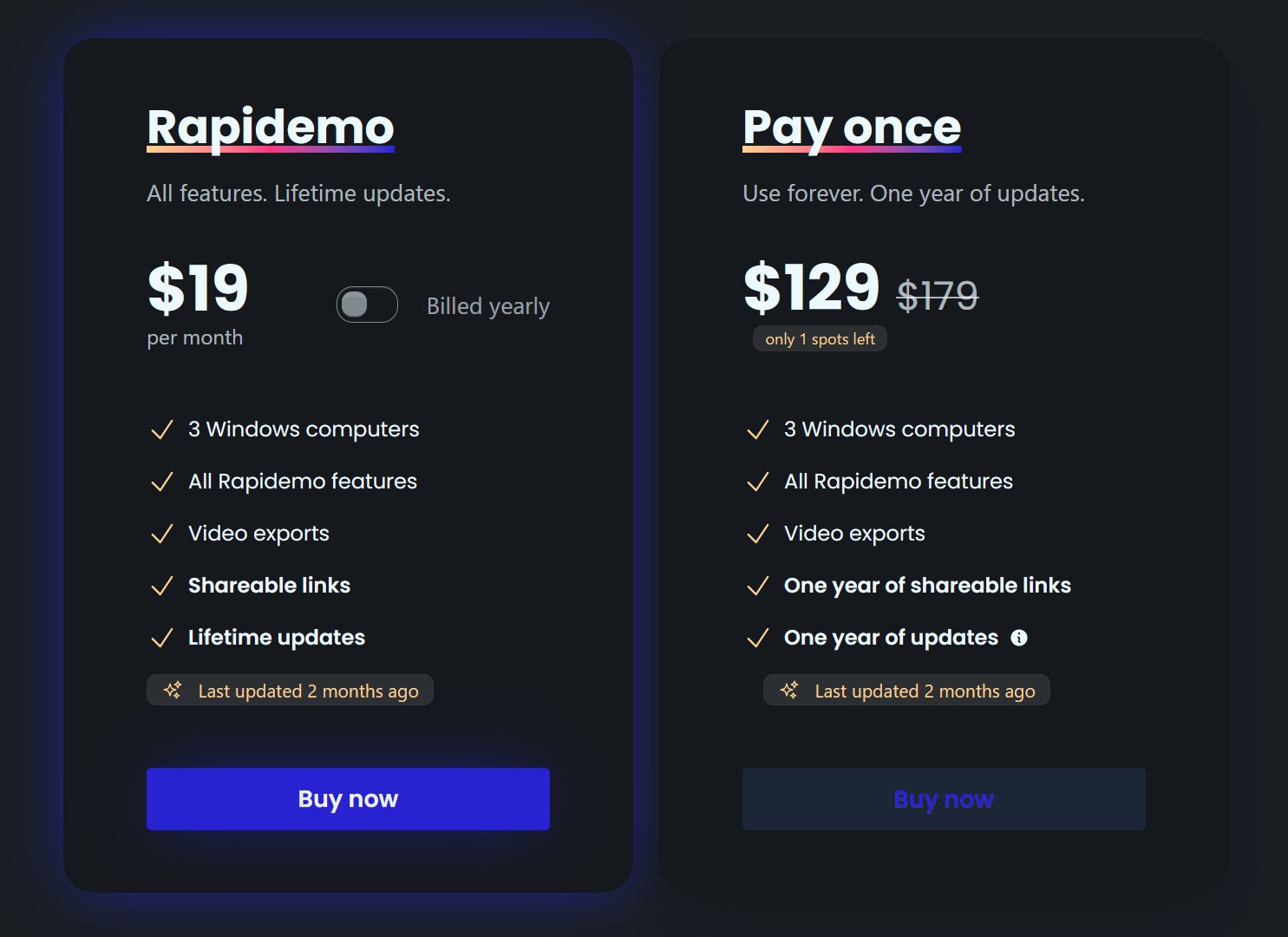
Pricing $108/year, $19/month, or $139 lifetime

Rapidemo is built for exactly this job on Windows. Record your demo once and it adds the polish automatically: it zooms in on clicks (auto-zoom), smooths the cursor so it glides between targets, generates subtitles, and applies cinematic layouts. You can then fine-tune each zoom in a simple timeline. It is the record-once, auto-polish workflow that makes demos look professionally produced, without professional editing skills, on Windows 10 and 11.

Pros

  • Automatic zoom animations and cursor smoothing tuned for demos
  • One-click subtitles and cinematic layouts per clip
  • Multiple aspect ratios (16:9, 9:16, 1:1) from one recording
  • Try every feature free; a license unlocks export
  • Transparent pricing, no contact-sales wall

Cons

  • Built for Windows 10 and 11 today (macOS and Linux under consideration)
  • No built-in video hosting with viewer analytics (shareable links only)

02

Screen Studio

Best for Cinematic product demos on macOS
Platforms macOS only
Pricing $9/month billed annually, or $29/month

Screen Studio is the demo-polish leader on macOS. It automatically zooms in on clicks and smooths the cursor, producing cinematic demos from a single take with almost no editing. If you are on a Mac, it is the natural pick, and it is the tool Rapidemo brings to Windows. The only real limit is that it is macOS-only.

Pros

  • Automatic zoom and cursor smoothing, always on
  • Cinematic output with minimal effort
  • Purpose-built for demos and tutorials

Cons

  • macOS only (no Windows or Linux)
  • Not a broad multitrack editor
Best for Heavily edited demos that need a full timeline
Platforms Windows and macOS
Pricing Subscription from $179/year (Pro $599/year)

Camtasia is the choice when your demo is a full production: multiple clips, callouts, intro and outro, and a full multitrack timeline. It offers semi-automatic zoom (SmartFocus) and cursor smoothing inside a mature editor. The trade-off is that it is a heavier tool built around manual editing, so it is more than you need for a quick, clean demo.

Pros

  • Full multitrack timeline and asset library
  • Semi-automatic zoom and cursor smoothing
  • Mature, well-documented, widely used

Cons

  • Key features gated behind the top tier
  • Built around manual editing, a steeper workflow
  • Windows and macOS only
Best for Quick, casual demos shared as a link
Platforms Windows, macOS, web, browser extension
Pricing Free tier; paid from $18/user/month

Loom is ideal for a fast, informal demo you record and send in seconds, a walkthrough for a teammate or a quick answer for a customer. It captures screen and camera and produces an instant shareable link with viewer analytics. It is not built for polish, though: there is no automatic zoom (it is listed as coming soon) or cursor smoothing, so published-quality demos are better served elsewhere.

Pros

  • Fastest record-and-share workflow
  • Instant links with viewer analytics
  • Cross-platform with a browser extension

Cons

  • No automatic zoom or cursor smoothing
  • Limited free tier (short clip length, video cap)
  • Built for async messaging, not polished production
05

Vidyard

Best for Sales demos with hosting, analytics, and CRM
Platforms Windows, macOS, web, browser extension
Pricing Free tier; $59/seat/month billed annually ($89 monthly); Teams and Enterprise contact-sales

Vidyard fits when a demo is part of a sales motion. It records and shares like Loom, but adds per-viewer analytics, branded pages, in-video calls to action, and Salesforce and HubSpot integrations. The value is in tracking and distribution rather than automatic polish, and pricing steps up quickly to contact-sales tiers for teams.

Pros

  • Per-viewer analytics and branded demo pages
  • CRM integrations for sales teams
  • In-video calls to action

Cons

  • Basic editing and no automatic polish
  • Pricing jumps to contact-sales for team features
  • Limited free tier
Rapidemo is the best! Easy to work with, no learning curve and super professional output! Can't recommend enough!
Headshot of Rapidemo user Petko
Petko @pbozhinow
records product videos
Thanks to Rapidemo I didn't have to spend a fortune on hiring an editor for my digital courses!
Headshot of Rapidemo user Sebastian
Sebastian @BlameReality
records digital courses

Screen recorder for product demos: FAQ

Common questions about recording product demo videos.

What is the best screen recorder for product demos?

For polished demos with the least effort, Rapidemo is the strongest pick on Windows and Screen Studio on macOS. Both do the motion polish for you, so you get a clean demo without editing it by hand.

What is the best screen recorder for SaaS product demos on Windows?

Rapidemo. It is a native Windows 10 and 11 app that automatically adds zoom animations, cursor smoothing, subtitles, and cinematic layouts, so your SaaS demo looks polished without manual editing.

How do I record a product demo that looks professional?

Record in a tool that adds the polish automatically. Rapidemo zooms in on the clicks that matter, smooths the cursor, and applies a cinematic layout from a single take, so you skip the manual keyframing that professional-looking demos usually require.

Which product demo tool has automatic zoom and cursor smoothing?

Rapidemo on Windows and Screen Studio on macOS do both automatically. Camtasia offers semi-automatic zoom and smoothing inside its editor; Loom and Vidyard do not.

Can I try Rapidemo for free?

Yes. Download Rapidemo and use every feature for free. You only need a license to export your finished video.

How much does Rapidemo cost?

Rapidemo starts at $9/month billed annually, with a monthly plan and a one-time lifetime license also available. See the pricing page for full details.

Can I get a refund?

Yes. Lifetime license purchases are refundable within 7 days. Subscriptions and lifetime renewals are non-refundable.

What Rapidemo users are saying

840+ creators record beautiful screen recordings with Rapidemo.