Loom vs Vidyard

Loom and Vidyard do the same job: record a short video and send a link. Loom grew up inside product and engineering teams; Vidyard grew up inside sales teams. The differences are in who watches the analytics, what the free plan lets you download, and how the video is hosted. Neither is built for video you publish on a landing page.

Loom and Vidyard side by side

Verified on the vendors' own pages. Prices as of November 2026.

Loom Vidyard
Best for Quick async team messages shared by linkTrackable video messages for sales and customer-facing teams
Platforms Windows, macOS, Web, iOS, AndroidWindows, macOS, Web
Pricing Free tier; paid from $18/user/monthFree tier; Starter $59/seat/month billed annually or $89 monthly; Teams and Enterprise on request
Loom Vidyard
General
Recording, editing and export stay on your computer
Recording
Record the whole screen, a window or an area
Record camera and microphone
Speaker notes while recording
Editing
Automatic zoom animations on clicks
Cursor smoothing
Change the cursor size and style after recording
Move and resize the camera after recording
Background, padding and rounded corners
Automatic transcript
Subtitles rendered into the video
Split screen, camera overlay and fullscreen in one video
Camera shrinks during zooms
Exporting
Landscape, portrait and square from one project
MP4 export to disk
GIF export

Loom covers 5 of 16, Vidyard covers 6 of 16 categories in this comparison.

When Loom is the better fit

  • You send walkthroughs inside a company and want comments and emoji reactions on the page.
  • You record from a phone as well as a desktop; Loom has iOS and Android apps.
  • You use Atlassian tools; Loom is an Atlassian product and integrates with Jira and Confluence.
  • You want the broadest free plan for occasional use.

When Vidyard is the better fit

  • You send videos to prospects and want to know who watched and for how long.
  • You record from a browser extension inside Gmail, Outlook or a CRM.
  • You want automated captions on long recordings; Vidyard captions up to four hours per video.
  • You need a hosting library with CTAs and lead capture on the video page.

The Rapidemo logo The third option: Rapidemo Our pick

Both tools stop at the message. If the video is going somewhere public, a product page, a course, a launch post, it needs the polish neither adds: zoom on the click, a cursor that glides, subtitles burned in, a frame that does not look like a call. Rapidemo adds those automatically on Windows 10 and 11, exports the MP4 to your disk, and still gives you a share link.

Free to record and edit. License unlocks export.

Rapidemo is built for Windows

Get a download link sent to your email for when you're back at your computer.

Check your inbox for your download link.

Just one email, no spam. Download for Windows.

Recording and sharing

Both record the screen and camera from a desktop app or browser extension and upload while you record, so the link is ready when you stop. Loom adds mobile apps.

Vidyard adds an extension that records from inside Gmail, Outlook and sales tools and drops the link into the message.

Analytics

Loom shows views, reactions and comments, which suits an internal audience.

Vidyard shows who watched, how much and when, and can gate the video behind a form, which suits outreach.

Downloads and ownership

Both keep the master copy in their cloud.

Loom’s free plan cannot download MP4s; paid downloads lose captions and chapters. Vidyard’s downloads are paid-only.

If you need the file on your disk, record with a local tool first.

Price

Both have free plans with recording limits and paid plans per user per month.

Vidyard’s Starter plan is per seat, and its Teams and Enterprise tiers are priced on request.

Loom vs Vidyard: FAQ

Common questions about choosing between Loom and Vidyard.

Is Vidyard better than Loom for sales?

Vidyard was built for it: viewer tracking, a browser extension for email and CRMs, and CTAs on the video page. Loom has view counts and comments but is aimed at internal communication.

Can I download my videos from Loom or Vidyard?

On paid plans. Loom’s free plan does not download MP4s, and paid downloads drop captions and chapters. Vidyard’s downloads are paid-only as well; free recordings stay in the Vidyard library.

Does Loom or Vidyard have automatic zoom?

Neither. Loom lists auto zoom as coming soon; Vidyard does not offer it. Rapidemo, Cap and Tella place zooms from your clicks.

Which is cheaper, Loom or Vidyard?

Both have free plans with limits and paid plans per user per month. The table above shows what each vendor listed on the day we verified prices.

Can I try Rapidemo for free?

Yes. Download Rapidemo and use every feature for free. You only need a license to export your finished video or GIF.

How much does Rapidemo cost?

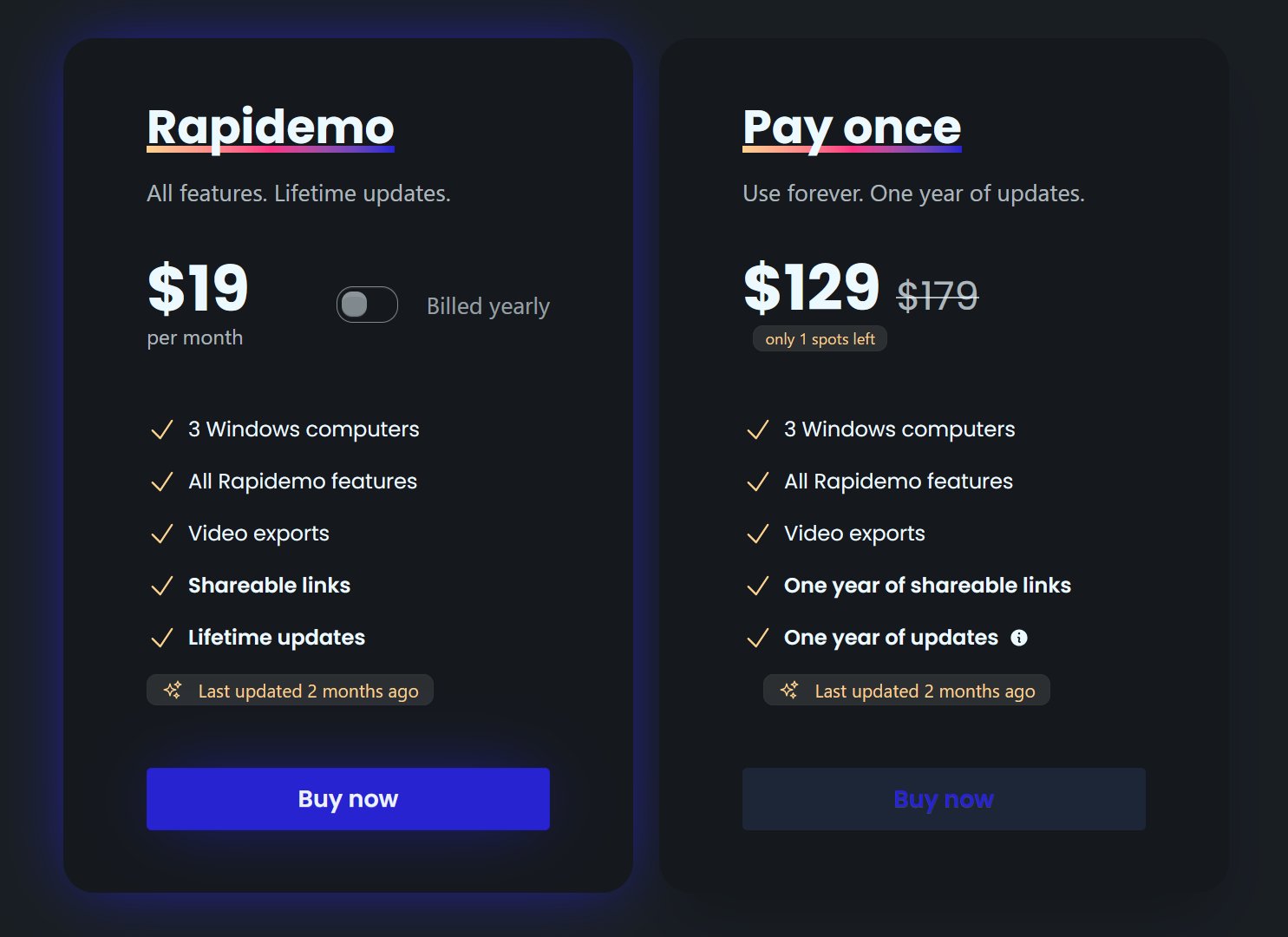
Rapidemo starts at $9/month billed annually, with a monthly plan and a one-time lifetime license also available. See the pricing page for full details.

Can I get a refund?

Yes. Lifetime license purchases are refundable within 7 days. Subscriptions and lifetime renewals are non-refundable.

What Rapidemo users are saying

950+ creators record their screen with Rapidemo. Here is what they say about it.

Headshot of Harry Symons
Harry Symons
I've been really enjoying using Rapidemo – it's incredibly easy to use and makes creating videos quick and straightforward. The interface is intuitive, and I was able to get started right away without any learning curve. Highly recommend for anyone looking for simple, effective video software.
Headshot of ととしま
ととしま @toyoshima_dev
Rapidemoめっちゃよかったから課金はしようと思うんだけど、買い切りにするか悩むねえ
使うときだけ毎月課金がお得なのは理解してるんだけど、俺は買い切りって言葉に弱えんだ
Headshot of Jonnier
Jonnier @jonniermart
Esta es la mejor herramienta para grabar pantalla en Windows. ❤️
Headshot of original だいすけ
これ、まさにズームマジックですね。なんの気ないトランジションでも効果的に見える。

Screen Recorder for Windows · Rapidemo https://getrapidemo.com/
Headshot of aron
aron @designbyaron
rapidemo is the sauce for windows
Headshot of Harry Symons
Harry Symons
Headshot of Pablo
Pablo @Pabloguiraox
Thanks so much for your incredible tool! It's the BEST screen recording software out there, Amazing job, you're a true legend!
Headshot of Brad
Brad @brad_agi
Rapidemo is sick! It saved me 2k — almost bought a Mac just for Screen Studio.
Records product demos