How to screen record on a Lenovo laptop (Windows 11 and 10)

Lenovo IdeaPad, Yoga and Legion laptops come with Lenovo Vantage, Lenovo PC Manager and, on Legion, Legion Zone. None of them records the screen. Windows does: the Snipping Tool’s video mode on Windows 11 and Xbox Game Bar on Windows 10 and 11. The Lenovo-specific part is Hotkey Mode, which decides what the F-row does. ThinkPad owners have their own page: screen record on a ThinkPad.

Free to record and edit. License unlocks export.

Rapidemo is built for Windows

Get a download link sent to your email for when you're back at your computer.

Check your inbox for your download link.

Just one email, no spam. Download for Windows.

Step by step

  1. 1

    Check Lenovo's Hotkey Mode

    Idea-branded Lenovos ship with Hotkey Mode on: F1 to F12 run the printed icon, and Fn + F-key gives the plain key. LOQ and Legion add an FnLock switch on Fn + Esc with an LED on Esc. The Windows recording shortcuts use the Windows key and work either way. To make F-keys primary, in the BIOS set Configuration > Hotkey Mode to Disabled, or on Yoga 900s and 910 use Lenovo Vantage.

  2. 2

    Record any region with the Snipping Tool (Windows 11)

    Press Win + Shift + R, drag a rectangle, click Start, then Stop. The MP4 saves under Videos > Screen Recordings by default. This records the desktop and File Explorer too. Windows 10 has no video mode in the Snipping Tool.

  3. 3

    Record the active app with Xbox Game Bar (Windows 11 and 10)

    Click into the app and press Win + Alt + R; press it again to stop. The clip saves to Videos > Captures as an MP4. Lenovo’s own Windows 11 gaming article walks through the Settings > Gaming page where Game Bar, Captures and Game Mode live. If an app is not recognized, press Win + G and enable gaming features for it.

  4. 4

    Set the audio and the length

    Press Win + G, open the capture widget and set Audio to record to Game only, All or None. The maximum recording length is a dropdown under Settings > Gaming > Captures; the clip saves itself when it reaches it.

  5. 5

    Record a tutorial or demo that looks edited

    For a video you will publish, record with Rapidemo. Choose Screen, a window or an area, add your camera and microphone, and press Record. Zooms land on your clicks, the cursor is smoothed, subtitles are generated on your computer and the camera sits in a styled overlay. Export MP4 up to 4K or a GIF.

What is specific to Lenovo laptops

Hotkey Mode. Lenovo ships Idea-branded laptops with hotkeys as the primary function of the F-row. That is fine for the Windows recording shortcuts, which hang off the Windows key, but it changes what a guide’s “press F11” does. The LOQ and Legion user guides describe an FnLock switch on Fn + Esc with a status LED on Esc; older IdeaPads use the BIOS Hotkey Mode setting; Yoga 900s and 910 moved the setting into Lenovo Vantage.

Legion Zone and Legion Arena. On Legion machines these apps manage performance modes, lighting and your game library. Neither records video. Nothing Lenovo ships binds Win + Alt + R or Win + Shift + R.

Lenovo’s own guidance. Lenovo’s support article on the Windows 11 Gaming section explains where Game Bar, Captures and Game Mode live in Settings, and notes that Game Mode is on by default. It does not walk through a recording, so the steps above fill that gap.

Where the files go

Game Bar saves MP4 clips to Videos > Captures; move the folder in File Explorer and Windows keeps using it. The Snipping Tool saves under Videos > Screen Recordings by default and shows the folder in its settings.

From a raw clip to a video you can publish

Both built-in tools capture raw footage without a camera or zoom. For a lesson, a walkthrough or a product demo, Rapidemo records the same screen on your Lenovo and adds zoom on clicks, cursor smoothing, subtitles and a camera overlay while you record. The full Windows guide compares every method; system audio covers capturing what the laptop plays.

How to screen record on a Lenovo laptop (Windows 11 and 10): FAQ

Common questions, answered briefly.

Does Lenovo Vantage record the screen?

No. Vantage, PC Manager and Legion Zone handle power, hotkeys, updates and lighting. Use the Snipping Tool (Win + Shift + R) on Windows 11 or Xbox Game Bar (Win + Alt + R) on Windows 10 and 11.

What is Hotkey Mode on a Lenovo?

The setting that decides whether F1 to F12 run the printed icon (Hotkey Mode on, the default) or the plain key. Change it in BIOS under Configuration, or on some Yoga models in Lenovo Vantage. On Legion and LOQ, Fn + Esc toggles it and the Esc LED shows the state.

Where are screen recordings saved on a Lenovo laptop?

Game Bar clips go to Videos > Captures. Snipping Tool recordings go to Videos > Screen Recordings by default; the folder is shown in the app’s settings.

Why does Fn + Esc stop working after a restart?

Lenovo’s support note says to update the BIOS or the Hotkey software when the lock does not persist. The Windows recording shortcuts are not affected by it.

Can I try Rapidemo for free?

Yes. Download Rapidemo and use every feature for free. You only need a license to export your finished video or GIF.

How much does Rapidemo cost?

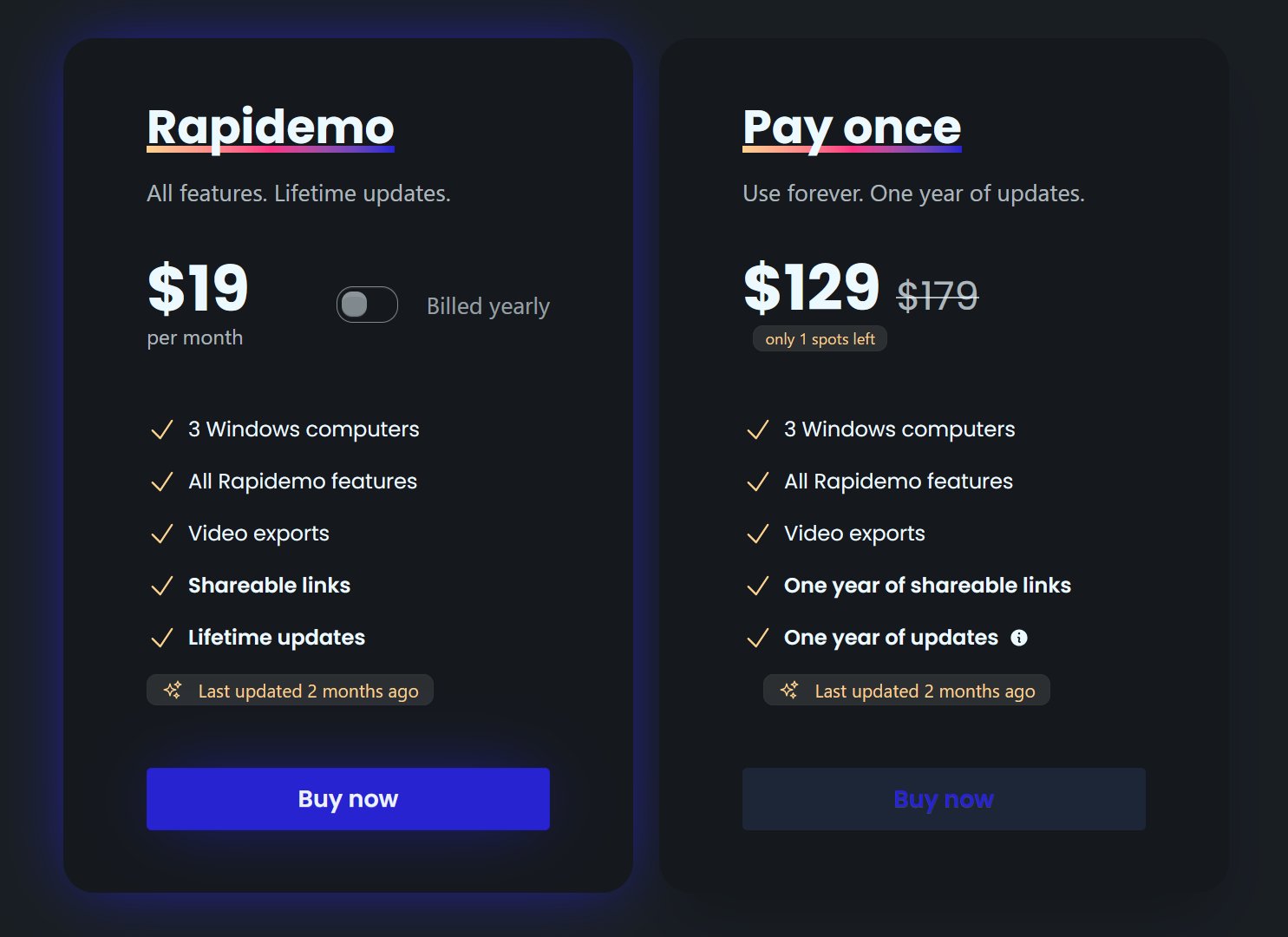
Rapidemo starts at $9/month billed annually, with a monthly plan and a one-time lifetime license also available. See the pricing page for full details.

Can I get a refund?

Yes. Lifetime license purchases are refundable within 7 days. Subscriptions and lifetime renewals are non-refundable.

What Rapidemo users are saying

950+ creators record their screen with Rapidemo. Here is what they say about it.

Headshot of Harry Symons
Harry Symons
I've been really enjoying using Rapidemo – it's incredibly easy to use and makes creating videos quick and straightforward. The interface is intuitive, and I was able to get started right away without any learning curve. Highly recommend for anyone looking for simple, effective video software.
Headshot of ととしま
ととしま @toyoshima_dev
Rapidemoめっちゃよかったから課金はしようと思うんだけど、買い切りにするか悩むねえ
使うときだけ毎月課金がお得なのは理解してるんだけど、俺は買い切りって言葉に弱えんだ
Headshot of Jonnier
Jonnier @jonniermart
Esta es la mejor herramienta para grabar pantalla en Windows. ❤️
Headshot of original だいすけ
これ、まさにズームマジックですね。なんの気ないトランジションでも効果的に見える。

Screen Recorder for Windows · Rapidemo https://getrapidemo.com/
Headshot of aron
aron @designbyaron
rapidemo is the sauce for windows
Headshot of Harry Symons
Harry Symons
Headshot of Pablo
Pablo @Pabloguiraox
Thanks so much for your incredible tool! It's the BEST screen recording software out there, Amazing job, you're a true legend!
Headshot of Brad
Brad @brad_agi
Rapidemo is sick! It saved me 2k — almost bought a Mac just for Screen Studio.
Records product demos